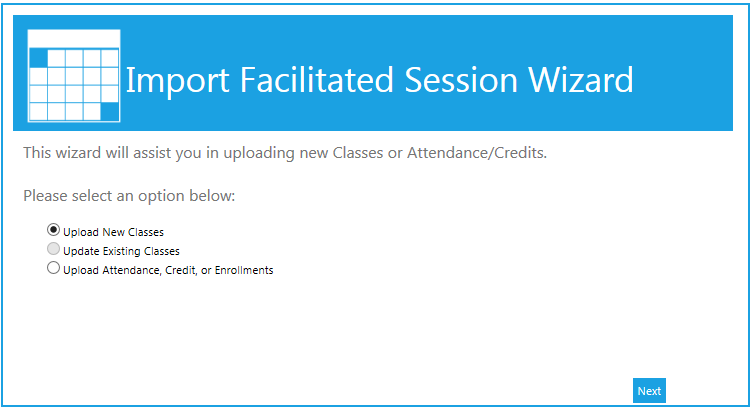
The Import Facilitated Sessions Wizard can be used both to upload new classes and to load attendance, enrollment, and credit data. To start the wizard, go to Resources > Import Facilitated Sessions Wizard in the administrative console. The wizard will open in a pop-up window.
Select the type of upload you want to do: a new class, and update to an existing class, or attendance/credit/enrollment data.
If you have already created the upload file, select either:
If you have not yet created the file, you may select the option to Generate Template. This will create an Excel file with approprate columns. If you are importing new classes, the template creator will prompt you to select the number of class dates per session for multi-day classes. You can use the template to create more than one class at a time, so enter the number of days for the longest class that you are going to create. Then click the Generate Template button. The template will open up in Excel. Refer to the How to Complete a Class Session Template or the How to Complete an Attendance Import screens for instructions on how to complete the template.
If you elected to Import the file, you will be prompted to select whether the file is in .csv or tab delimited .txt format and then navigate to the file to upload. Once the file has been selected, click Next to continue.
If you elected to Import from the clipboard, you can paste your data into the open field. If you choose not to include the header row, uncheck the box at the bottom of the screen. Once the data has been pasted into the field, click Next to continue.
If the uploaded data contained any errors, the system will specify the exact error. Correct the errors on your spreadsheet, then click the Previous button to re-upload/re-paste the data.
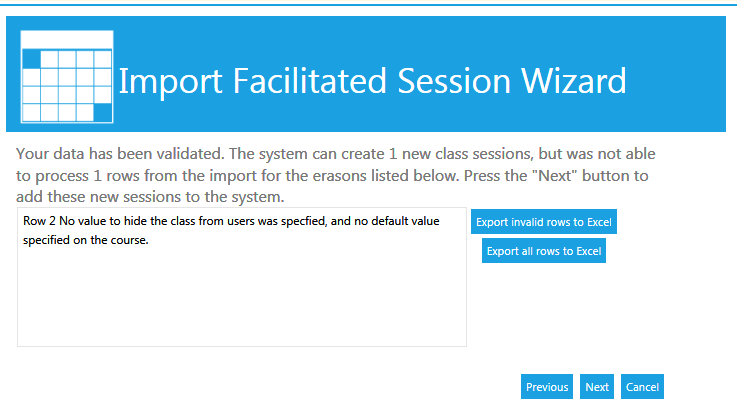
Once all of the data has been validated, click Next to create the sessions or add the data. The system will then confirm that all of the sessions have been created or that the data has been added.
Complete a Class Session Import Template
Complete an Attendance Import Template